
Availo Account Activation
Account activation steps
Please go throw the following steps to activate your account, if you have any issues, please contact us directly through chat or direct call
1
After receiving Availo devices, check the license number on the card inside the box
2
Enter the account information :
The system will send you confirmation email after activation, please check your ( Spam )
3
Download Application
Download application from official Stores:


4
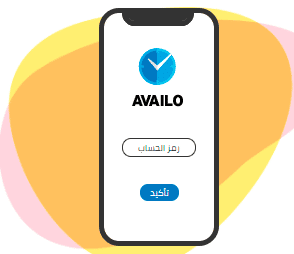
Login
Enter the account code, a message of your organization name will
appear for confirmation, then log in using the information received by email

5
Scan your face
Pay attention to the following:
-
The Face should be clear without any hidden parts. -
Proper light level. -
Face should be within the frame while registering.
6
Scan your voice
Pay attention to the following:
-
Voice should be clear without any interruptions. -
Say the phrases that appear in front of you and not any other phrase. -
Try to be close to the phone as much as you can to record a clear voice.


7
the best way to scan fingerprint
-
Scan your fingerprint. -
To Use This Option You Need To Enable Your Fingerprint On The Mobile.
Now you can log in to the application and attend or leave using voice or face recognition and fingerprint.

Download new employees registration steps from the link

How to use Availo mobile application

To know how to manage the attendance process, please download the admin panel manual attached to the activation email